Coin Grading Simulator
Evaluate wear, luster, strike, and eye appeal to estimate your coin's grade — then compare against PCGS and NGC standards. A practical learning tool for collectors at every level.
Coin grading is both an art and a science. Whether you're a seasoned numismatist or a curious beginner, understanding how coins are graded is essential to determining their true market value. The Coin Grading Simulator gives you a hands-on way to estimate grades, develop your eye, and decide which coins in your collection deserve professional certification.
Try the Coin Grading Simulator
Coin Grading Simulator
VF / Below (0–20): Very Fine or lower
EF-45 (21–25): Extremely Fine, light wear
AU-58 (26–28): About Uncirculated
MS-63 (29–31): Select Mint State
MS-65 (32–35): Gem Mint State
MS-67 (36–40): Premium Gem
How to Use the Simulator
Examine Your Coin
Inspect your coin under good, consistent lighting. Use a quality loupe or magnifier at 5–10x. Assess the four key factors: surface wear, luster quality, strike sharpness, and overall eye appeal.
Set Your Values
Move each slider to reflect your observations. Remember the scale runs inversely for wear — 0 means no wear (Mint State), 10 means heavy circulation. For luster and strike, 10 represents the best possible condition.
Review Your Estimated Grade
Click Estimate Grade to see your result and grade band. Click "Compare with PCGS/NGC" to see how your score maps to the standard Sheldon Scale bands used by professional grading services.
Decide on Certification
Use your estimate to decide whether a coin is worth submitting to PCGS or NGC. Generally, coins grading MS-63 or higher with strong eye appeal are the best candidates for professional certification.
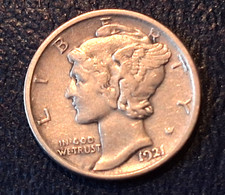


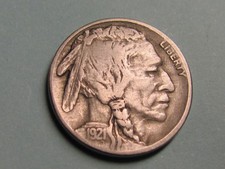


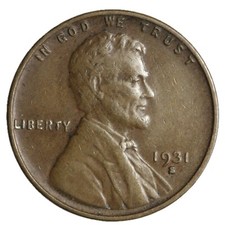
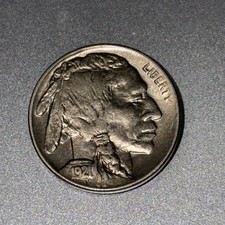

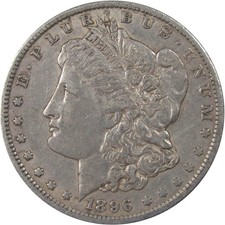
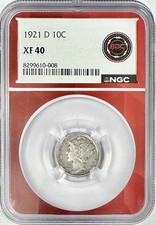
Understanding Grade Bands and Market Impact
Light wear on high points only, with strong underlying detail. Partial luster still visible. Popular for affordability combined with genuine quality — a collector sweet spot for many series.
Just a trace of wear on the very highest points. Nearly full luster, complete design detail, strong eye appeal. The best circulated grade — often dramatically less expensive than full Mint State examples.
No wear whatsoever. Full original luster and sharp strike. The investment-grade range where certified population data drives premiums. MS-65 Gem examples command the highest collector demand.
Exceptional in every respect — virtually perfect strike, undisturbed luster, and outstanding eye appeal. Very low certified populations at this level; price differences between MS-66 and MS-67 can be dramatic.
Common Grading Mistakes to Avoid
- Overestimating luster on cleaned coins — cleaned coins may appear shiny but lack original mint bloom. A trained eye detects the difference immediately; professional graders will net-grade or body-bag cleaned coins.
- Confusing weak strike with wear — many series are known for soft strikes on specific design elements. A weakly struck coin isn't worn; grading them the same way leads to systematic undervaluation.
- Undervaluing eye appeal — two coins at MS-64 can sell for very different prices if one has superior color, luster, and surface quality. Eye appeal is real and the market prices it aggressively.
- Skipping authentication — always verify a coin is genuine before assigning or accepting a grade. Sophisticated counterfeits of key dates exist; PCGS and NGC certification eliminates this risk.
- Grading in poor lighting — incandescent light at an angle reveals luster and surface marks that LED or overhead fluorescent light obscures. Invest in a proper numismatic lamp.
Professional vs. Self-Grading: The simulator builds your grading instincts and helps you pre-screen your collection. But for coins you intend to sell, insure, or add to an investment portfolio, PCGS and NGC certification is irreplaceable — it provides authentication, encapsulation, and market trust that no self-graded coin can match.
Essential Grading References
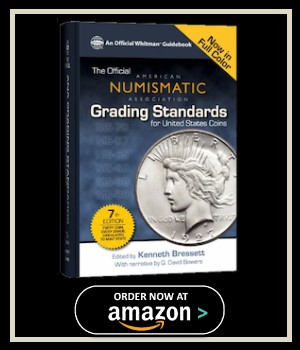
As an Amazon Associate, FindRareCoins.com earns from qualifying purchases.
Tips for Protecting Coin Value
- Never clean your coins — original surfaces, even toned ones, preserve numismatic value. Cleaning is immediately detectable and permanently reduces collector desirability.
- Use archival-safe storage — PVC-free flips, Mylar holders, or PCGS/NGC slabs. Avoid cardboard 2x2s for long-term storage of valuable coins.
- Handle by the edges only — fingerprints leave oils that etch into surfaces over time, especially on Proof and high-grade Mint State coins.
- Document your collection — keep records of grades, purchase prices, provenance, and certification numbers. Essential for insurance, estate planning, and eventual sale.
- Follow market trends — auction results from Heritage, Stack's Bowers, and GreatCollections show where the market is pricing specific grades in real time.
Put your grading knowledge to work — shop certified PCGS and NGC coins from verified sellers.

Try the Coin Finder Tool
Frequently Asked Questions
How accurate is this grading simulator compared to PCGS or NGC?
What's the difference between wear and strike weakness?
Should I clean my coin before grading it?
At what grade should I consider submitting a coin to PCGS or NGC?
Why do two coins at the same numeric grade sell for different prices?
What lighting should I use to grade a coin at home?
More tools & guides: Coin Finder Tool · Portfolio Tracker · Mint Error Coins · Coin Collecting Guide
 '
'